EAN-13 Barcode Generator (Single or Bulk) - Shripada.com
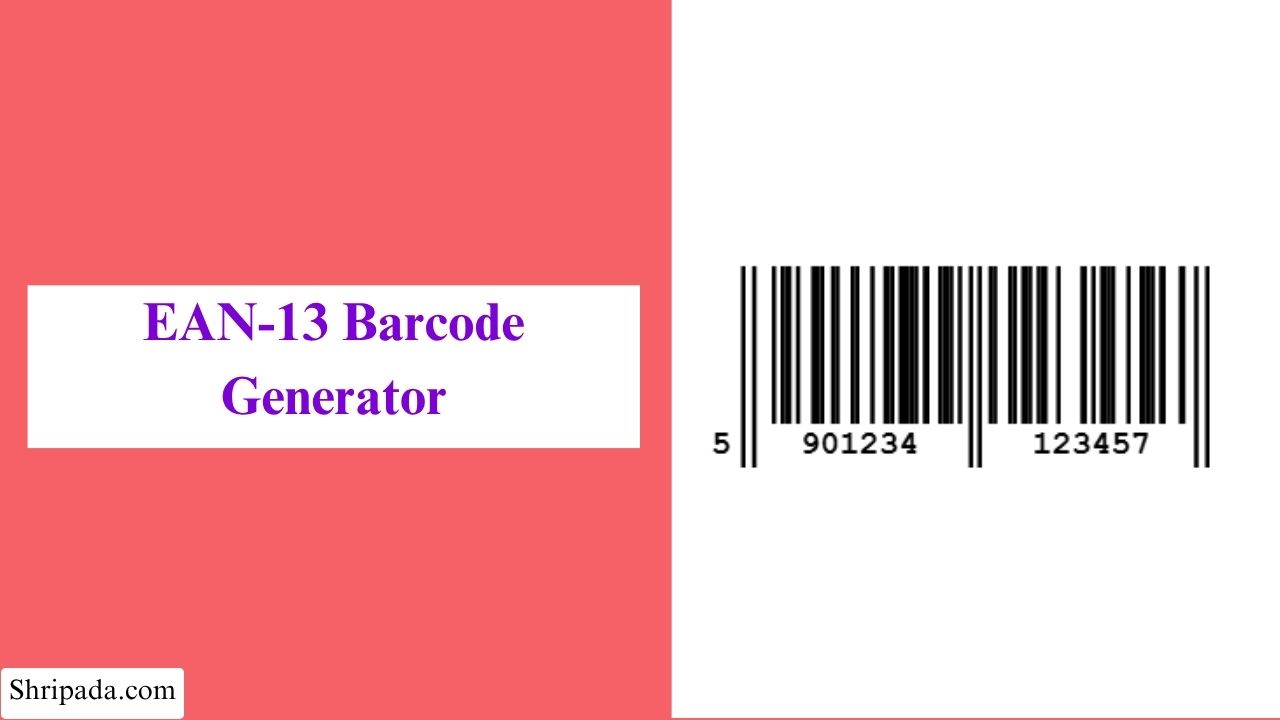
EAN-13 Barcode Generator Tool
What Is EAN-13 Barcode?
If you have ever bought a product, you have probably seen an EAN-13 barcode. You can find these barcodes on products such as books in the UK, groceries in Germany, and electronics in India.
EAN-13 stands for European Article Number, 13 digits. It is a 13-digit barcode format used for identifying products in retail and other applications.
An EAN-13 number contains several parts:
- GS1 Prefix – Usually the first 2 or 3 digits. It identifies the GS1 organization or registration area associated with the number. It does not necessarily show where the product was manufactured.
- Manufacturer/Company Code – Identifies the company or brand.
- Product Code – Identifies the specific product.
- Check Digit – The final digit. It is calculated from the previous 12 digits and helps scanners detect errors.
How Does EAN-13 Encode 13 Digits?
One interesting part of EAN-13 is that the barcode does not simply draw all 13 digits as separate groups of bars.
The 13th digit, which is the first digit on the left, is encoded indirectly.
The six digits that follow it use different bar-pattern sets called L and G patterns. The choice of these patterns is controlled by a fixed parity table based on the first digit.
This allows EAN-13 to represent 13 digits while keeping a similar physical barcode size to UPC-A.
In simple terms:
- The first digit controls the pattern used for the next six digits.
- This is one of the main technical differences between EAN-13 and UPC-A.
EAN-13 Barcode Generator Features
1. Single Barcode Generation
Generate one barcode at a time by entering a 12-digit or 13-digit number.
2. Multiple Barcode Generation
Generate many barcodes at once by entering multiple product numbers, with one number on each line.
3. Automatic Check Digit Calculation
Enter the first 12 digits, and the tool calculates the correct 13th check digit automatically.
4. Full 13-Digit Validation
Already have a complete 13-digit EAN? Enter it into the tool and it will check whether the final check digit is correct.
5. Correct EAN-13 Encoding
The generator uses the actual L/G parity encoding system used by EAN-13.
This is important because EAN-13 is not simply a 12-digit barcode with an extra number added to it.
6. Custom Barcode Appearance
You can customize the barcode appearance by selecting width, height, bar and background color.
7. Download or Export
You can download single EAN-13 barcode or bulk barcode in PNG, SVG, ZIP, Excel format.
8. Live Valid/Invalid Count
When generating multiple barcodes, the tool shows how many numbers are valid and how many are invalid.
9. Privacy-Friendly
All barcode generation happens directly in your browser.
Your product numbers are not uploaded to a server for barcode generation, and the tool does not need to store your barcode data.
Who Can Use an EAN-13 Barcode Generator?
This tool can be useful for many different users.
1. E-commerce Sellers
Online sellers can use it to create barcode images for products sold in international markets.
2. Publishers and Authors
EAN-13 is also used for ISBN-related book barcodes. Publishers and authors may need barcode images for book packaging and retail use.
3. Manufacturers and Brand Owners
Small manufacturers can use the tool when preparing product labels and packaging for markets where EAN-13 is used.
4. Retail and Inventory Teams
Retail teams can create barcode labels for inventory, shelf stock, internal identification, or price tags.
5. Packaging and Graphic Designers
Designers can generate barcode images and add them to product packaging, labels, boxes, or other layouts.
6. Print Shops and Label Makers
Print businesses can generate multiple barcodes when preparing product labels in bulk.
7. Developers and QA Engineers
Developers can create realistic EAN-13 barcodes for testing inventory, barcode-scanning, and POS systems.
How to Use the EAN-13 Barcode Generator
1. Single Barcode
- Enter your product number.
- You can enter either 12 digits or a complete 13-digit EAN.
- If you enter 12 digits, the tool calculates the check digit automatically.
- If you enter 13 digits, the tool validates the existing check digit.
- Select the barcode width and height.
- Choose your bar and background colors.
- Click Generate Barcode.
- The barcode will be displayed along with its number breakdown.
- Download the barcode as a PNG or SVG file.
2. Bulk Barcodes
- Enter multiple product numbers.
- Put one number on each line.
- You can enter 12-digit or 13-digit numbers.
- Select the common width, height, and colors.
- Click Generate Barcodes.
- The tool processes each number separately.
- Check the valid and invalid count.
- Download the results as a ZIP of PNG files or an Excel file with barcode images.
What Is the EAN-13 Check Digit?
The check digit is the final digit of an EAN-13 number.
It is calculated using the previous 12 digits. Its main purpose is to help detect common data-entry or scanning errors.
The calculation uses a weighted sum of the digits. The positions are given different weights, and the final result is used to calculate the check digit.
You do not need to calculate it manually when using this tool because the generator can calculate it automatically.
EAN-13 vs UPC-A
EAN-13 and UPC-A are closely related retail barcode formats, but they are not exactly the same.
| Feature | EAN-13 | UPC-A |
|---|---|---|
| Number of digits | 13 | 12 |
| Main use | International retail | Mainly US and Canada |
| GS1 standard | Yes | Yes |
| First digit handling | Encoded through parity patterns | Encoded differently |
| Retail scanning | Widely used internationally | Widely used in North America |
A UPC-A number can also be represented as an EAN-13 by adding a leading zero.
However, EAN-13 and UPC-A use different internal encoding rules, so a proper EAN-13 generator needs to use the correct EAN-13 encoding method.