UPC-A Barcode Generator (Single or Bulk) - Shripada.com
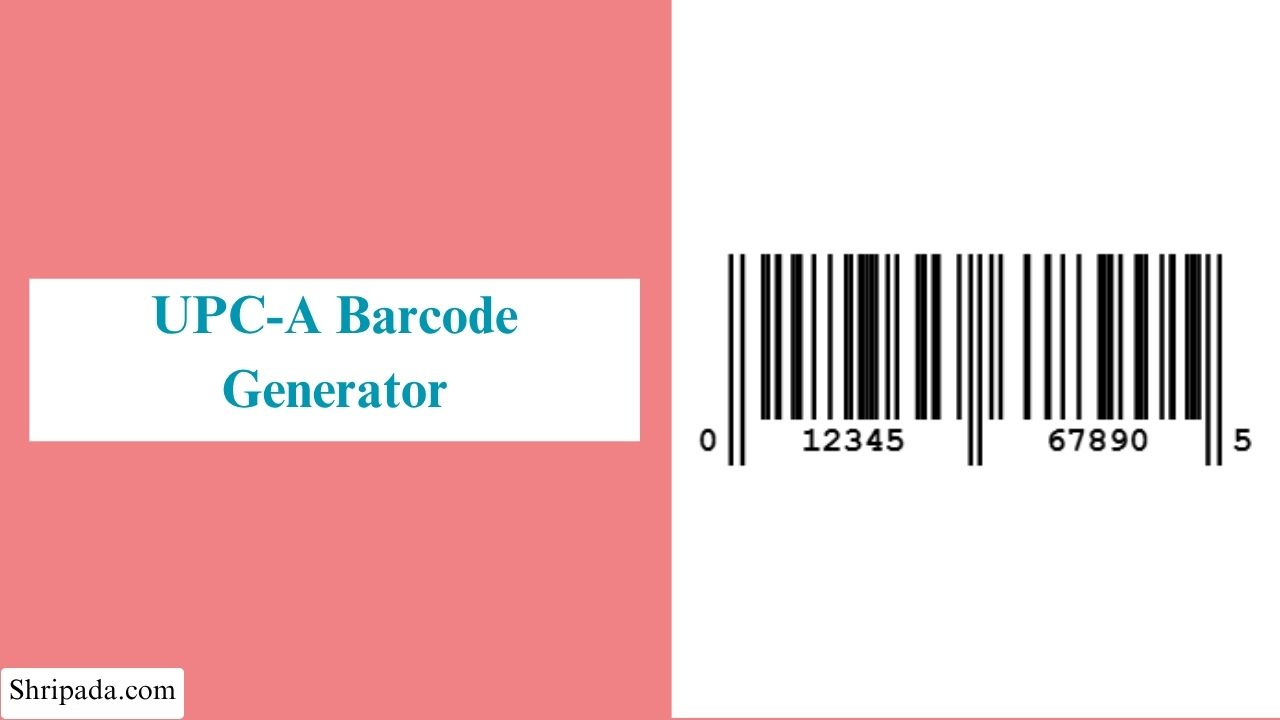
UPC-A Barcode Generator Tool
What Is a UPC-A Barcode?
If you have ever bought a product from a store and seen the cashier scan the barcode in a fraction of a second, you have used a UPC-A barcode.
UPC-A is a black-and-white barcode standard that has been widely used in retail since the 1970s.
UPC-A (Universal Product Code, Version A) is a 12-digit barcode standard commonly used for retail products in North America. A UPC-A code generator can create and validate these 12-digit codes for barcode generation and testing.
Each UPC-A code contains four main parts:
- Number System Digit (1 digit): Identifies the type of product or issuing system. For example, 0 is commonly used for standard retail products.
- Manufacturer Code (5 digits): Identifies the company that manufactures or owns the product.
- Product Code (5 digits): Assigned by the manufacturer to identify a specific product.
- Check Digit (1 digit): A calculated digit used to verify that the barcode has been entered or scanned correctly.
These 12 digits are converted into a specific pattern of black bars and white spaces with different widths. Barcode scanners read this pattern to identify the product quickly.
Key Features of the UPC-A Barcode Generator
1. Single and Bulk Barcode Generation
The tool supports two generation modes: Single Barcode and Bulk Barcodes.
2. Automatic Check Digit Calculation
You only need to enter the first 11 digits of a UPC-A code. The tool automatically calculates the correct 12th check digit using the standard UPC checksum formula.
3. Full Barcode Validation
If you already have a complete 12-digit UPC-A code, you can enter it into the tool.
The calculator checks whether the check digit is correct and immediately identifies an invalid code.
4. Barcode Breakdown
The tool provides a breakdown of the UPC-A number so you can clearly see its different parts:
- Number System Digit
- Manufacturer Code
- Product Code
- Check Digit
- Check Digit Status
This makes it easier to understand and verify a UPC-A barcode.
5. Customizable Barcode Appearance
You can customize the barcode according to your requirements. The tool allows you to set:
- Barcode width in pixels
- Barcode height in pixels
- Bar color
- Background color
This can be useful when preparing barcodes for packaging, labels, or other designs.
6. Sharp, Print-Ready Barcodes
The barcodes are rendered at the device's native pixel density, helping them remain sharp both on screens and when printed on labels or packaging.
7. Bulk Export Formats
You can download a generated UPC-A barcode label in different formats:
- PNG: Useful for packaging, documents, and design tools.
- SVG: A scalable format that can be resized for printing without losing quality.
8. Bulk Barcode Generation
For multiple products, you can paste a complete list of product numbers, with one number per line.
The tool generates bulk UPC-A barcodes for the list and shows a live count of Valid product numbers & Invalid product numbers.
This makes it easier to identify incorrect entries before exporting the results.
9. Bulk Export
You can download an entire batch of generated barcodes in different ways:
- ZIP: Contains individual PNG barcode files.
- Excel: Includes each barcode image directly next to its corresponding product number.
This makes the generated data easier to share with a printer or packaging team.
10. 100% Private
All barcode generation and rendering takes place directly in your browser.
Who Can Use This Tool?
The UPC-A Barcode Generator can be useful for anyone who needs to create, verify, or work with UPC-A barcodes.
- E-commerce Sellers: Generate UPC barcodes for new product listings on marketplaces such as Amazon, Walmart, or your own online store.
- Small Manufacturers & Brand Owners: Create barcodes for product packaging and labels used for retail distribution.
- Retail & Inventory Teams: Create barcode labels for shelf stock, internal SKUs, or price tags.
- Packaging & Graphic Designers: Generate clean, correctly encoded barcodes that can be added directly to product labels or packaging designs.
- Print Shops & Label Makers: Generate barcode labels in bulk for clients.
- Developers & QA Engineers: Create realistic, scannable test barcodes for inventory, POS, or other barcode-based systems.
- Students & Learners: Understand how UPC-A barcodes are structured and how their check digits are calculated.
How to Use the UPC-A Barcode Generator
The tool supports both Single Barcode and Bulk Barcodes modes.
1. Single Barcode
Follow these steps to generate one UPC-A barcode:
- Enter your product number. You can enter either 11 digits, and let the tool calculate the check digit automatically, or The complete 12-digit UPC-A code.
- Set your preferred width, height, bar color, and background color.
- Click Generate Barcode.
- The barcode will be generated instantly along with a complete breakdown showing the Number System, Manufacturer Code, Product Code, and Check Digit.
- Download the barcode as a PNG or SVG file.
2. Bulk Barcodes
Use Bulk Barcodes mode when you need to generate several barcodes at once.
- Paste your list of product numbers into the text box, with one number per line.
- Each number can contain 11 or 12 digits.
- Set the shared width, height, bar color, and background color for the batch.
- Click Generate Barcodes.
- The tool generates each valid barcode separately and displays them for review.
- A summary shows how many product numbers were valid and invalid.
- Download the complete batch as a ZIP file containing PNG barcodes or as an Excel file with barcode images embedded next to their corresponding numbers.