ITF-14 Barcode Generator (Single or Bulk) - Shripada.com
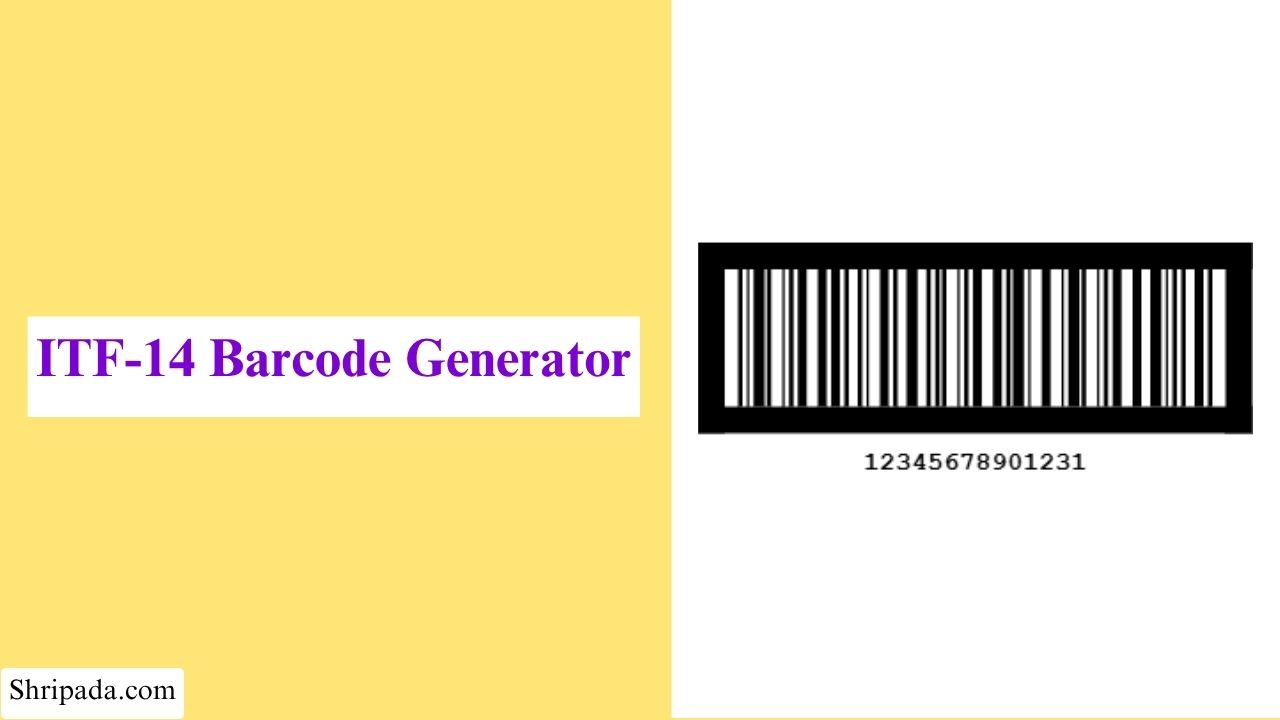
ITF-14 Barcode Generator Tool
What Is an ITF-14 Barcode?
ITF-14 is a barcode symbology used within the GS1 system to identify trade items, particularly at the case and outer-packaging level.
You are more likely to find an ITF-14 barcode on a shipping carton or case than on an individual product intended for retail checkout. It is commonly used in supply-chain environments where packages are handled, stored, transported, and scanned during distribution.
ITF-14 uses Interleaved 2 of 5 encoding and represents a 14-digit GTIN.
For example: 12345678901231
The final digit, 1, is the check digit, which helps detect errors in the number.
The GTIN should be assigned through the appropriate GS1 identification process. A barcode generator should not be used to invent a GTIN simply because a 14-digit number is required.
Why Is ITF-14 Used for Cases and Cartons?
Retail barcodes such as UPC and EAN are commonly used to identify individual consumer products. Cases and cartons serve a different purpose in the supply chain and can have their own trade-item identification.
For example, a manufacturer may ship:
- Individual products
- Cases containing multiple products
- Larger shipping units
An ITF-14 barcode can identify the outer trade item so that warehouses and distribution systems can scan the case or carton without scanning every individual product inside it.
This makes ITF-14 particularly useful for case-level identification in logistics and distribution.
How ITF-14 Uses Interleaved 2 of 5
ITF-14 uses Interleaved 2 of 5 (ITF) as its barcode encoding method.
The digits are processed in pairs. One digit in each pair determines the bar pattern, while the other determines the corresponding space pattern. These patterns are then interleaved to form the barcode.
Because an ITF-14 value contains 14 digits, it can be divided into seven pairs.
For example:
Input:12345678901231
Output: 12 | 34 | 56 | 78 | 90 | 12 | 31
The generator converts these digit pairs into the required bar and space patterns.
The ITF-14 Bearer Bar
A distinctive feature of an ITF-14 barcode is its bearer bar.
The bearer bar is the rectangular frame around the barcode. It is part of the ITF-14 symbol and is not simply a decorative border.
It helps protect the barcode from printing and scanning problems around the symbol edges and is particularly useful when ITF-14 barcodes are printed on packaging materials such as corrugated cardboard.
An ITF-14 generator can add the bearer bar automatically when creating the barcode.
Why Is the Bearer Bar Useful?
ITF-14 barcodes are commonly used on outer packaging, where labels may experience more physical handling than retail product packaging. the cartons may be:
- Printed on corrugated material
- Moved through conveyor systems
- Handled during loading and unloading
- Stored in warehouses
- Exposed to minor printing or surface imperfections
The bearer bar helps maintain the structure of the ITF-14 symbol and can support reliable scanning.
For commercial use, the complete barcode should still be produced and printed according to the applicable GS1 specifications.
ITF-14 vs UPC and EAN
ITF-14, UPC, and EAN are barcode formats used for different identification requirements.
- Feature: ITF-14
- Common application: Cases and outer packaging
- Data: 14-digit GTIN
- Symbology: Interleaved 2 of 5
- Bearer bar: Characteristic feature
- Typical environment: Warehousing and distribution
- Feature: UPC/EAN
- Common application: Individual retail products
- Data: Commonly 12- or 13-digit GTIN formats
- Symbology: UPC/EAN
- Bearer bar: Not the same ITF-14 frame
- Typical environment: Retail point of sale
ITF-14 is therefore not simply a larger UPC or EAN barcode. It uses a different symbology and is commonly used at a different packaging level.
ITF-14 Generator Features
14-Digit Validation
The generator checks whether the entered value contains the required number of digits and follows the expected ITF-14 format.
1. Check Digit Calculation
When the tool supports entering the data portion instead of a complete GTIN, it can calculate the final check digit automatically.
2. Check Digit Verification
When a complete 14-digit value is entered, the generator can verify the supplied check digit against the calculated value.
3. Automatic Bearer Bar
The bearer bar is automatically added around the ITF-14 barcode.
4. Interleaved 2 of 5 Encoding
The generator converts the 14-digit value into the corresponding Interleaved 2 of 5 barcode structure.
5. Custom Appearance
You can customize the available barcode settings, including width, height, bar & background color.
6. Multiple Barcode Generation
If you need to create several ITF-14 barcodes, you can enter one value per line.
7. PNG and SVG Export
Generated barcodes can be downloaded in supported formats such as PNG and SVG.
8. Batch Export
When multiple barcodes are generated, batch export can make it easier to save the results together, such as barcode images in a ZIP file or barcode data with previews in an Excel file.
How to Generate an ITF-14 Barcode
You can use the ITF-14 Barcode Generator to create a single barcode or generate multiple ITF-14 barcodes at once.
1. How to Generate a Single ITF-14 Barcode
- Enter the ITF-14 Barcode Number: Enter the 14-digit number you want to use for the barcode in the ITF-14 Barcode Number field.
- If you enter the number without a check digit, enable Auto-calculate check digit to let the generator calculate it automatically.
- Choose Check Digit Calculation: Enable Auto-calculate check digit if you want the generator to calculate the required check digit from the entered number.
- If your number already includes a valid check digit, use the option according to your input requirements.
- Set the Barcode Size: Enter the required Width (px) and Height (px) for the generated barcode.
- Choose Bar Color: Select the color for the barcode bars.
- Choose Background Color: Select the background color. A strong contrast between the bars and background is recommended for reliable scanning.
- Generate the Barcode: Generate the ITF-14 barcode using the entered settings.
2. How to Generate Multiple ITF-14 Barcodes
The multiple barcode option allows you to generate several ITF-14 barcodes together.
- Enter a Batch Title: Enter a title to identify your batch of barcodes.
- Enter the Barcode Numbers: Enter the ITF-14 barcode numbers according to the input format supported by the generator, with each barcode value entered separately.
- Enable Auto-calculate Check Digits: Enable auto-calculate check digits if you want the generator to calculate the check digit for each barcode automatically.
- Set the Barcode Size: Enter the required Width (px) and Height (px) for the generated barcodes.
- Choose Bar Color: Select the color for the barcode bars.
- Choose Background Color: Select the background color for the barcodes.
- Generate the Barcodes: Generate the batch to create multiple ITF-14 barcodes using the selected settings.
Common Uses of ITF-14
ITF-14 is commonly used to identify products and trade items in shipping, distribution, warehousing, and supply-chain operations.
1. Shipping and Distribution
ITF-14 barcodes can be used on shipping cartons and outer packaging to identify products as they move through distribution and logistics operations.
2. Warehouse Management
Warehouses can use ITF-14 to identify packaged products during receiving, storage, picking, and dispatch processes.
3. Carton and Case Identification
ITF-14 is commonly suitable for identifying cases, cartons, and other outer packaging that contain trade items.
4. Supply Chain Tracking
Businesses can use ITF-14 as part of their product identification processes across different stages of the supply chain.
5. Retail Product Packaging
ITF-14 can be used to identify products that are packaged for distribution between manufacturers, distributors, warehouses, and retailers.
6. Inventory Management
ITF-14 barcodes can help businesses identify packaged products during inventory handling and stock management.
7. Bulk and Outer Packaging
When products are grouped into cases or larger packages, an ITF-14 barcode can be used to identify the trade item represented by that packaging.
ITF-14 is primarily intended for trade-item identification and logistics, rather than for encoding general product information such as descriptions, prices, or product names.